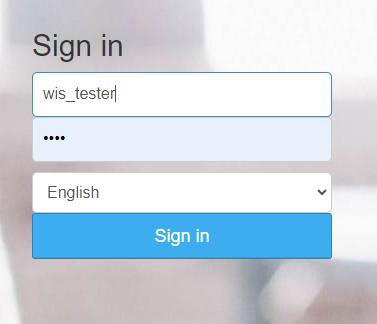
- 0. Login
- 1. Pickup location
- 2. Drop location
- 3. Vehicle Types
- 4. Transfer route
- 5. Extra services
- 6. Terminal
- 7. Transfer Partner
- 8(1). Set up as a partner
- 9. Commision
- 10. Connection to terminal
- 11. Pricing rules
- 12. Special date prices
- 13. Partner`s vehicles types
- 14. Off duty dates
- 15. Partner`s routes
- 16. Partner`s extras
- 17. Price filling
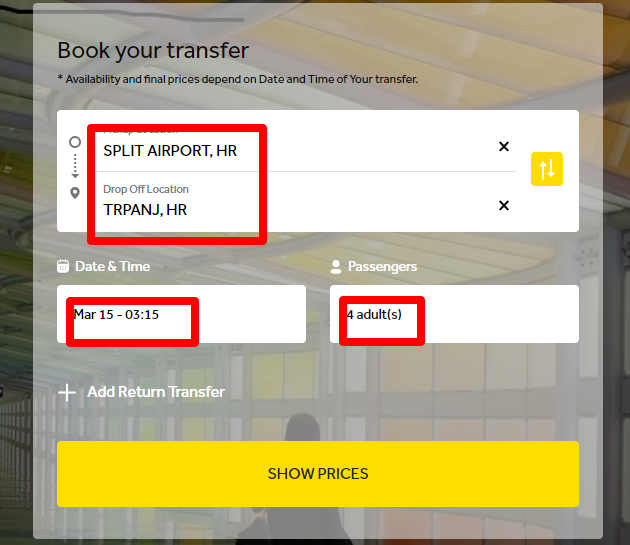
- 18. Booking
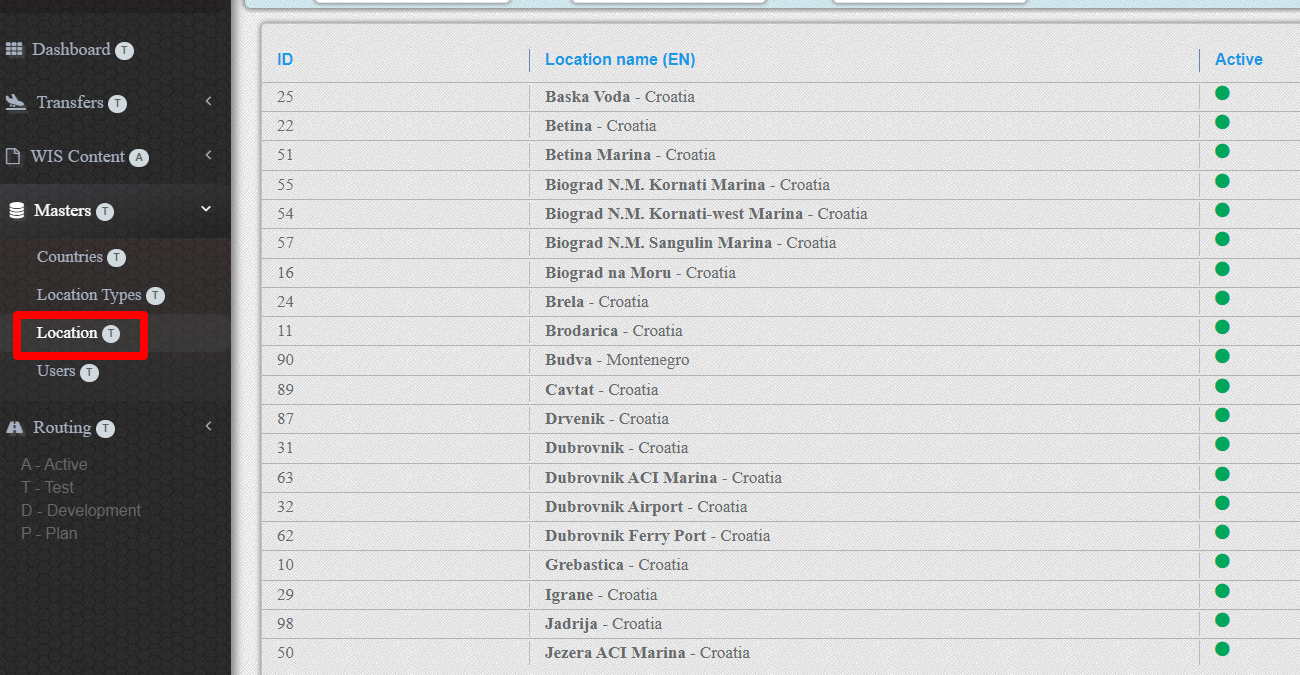
1. Pickup location
Pickup location is the geographical place where passengers board the vehicle.
Each Pickup Location has its own Location type.
2. Drop location
Drop location is the geographical place where passengers leave the vehicle.
Each Drop Location has its own Location type.
3. Vehicle Types
Standardized vehicles according to the number of passengers and level of service are included in the Vehicle Types.

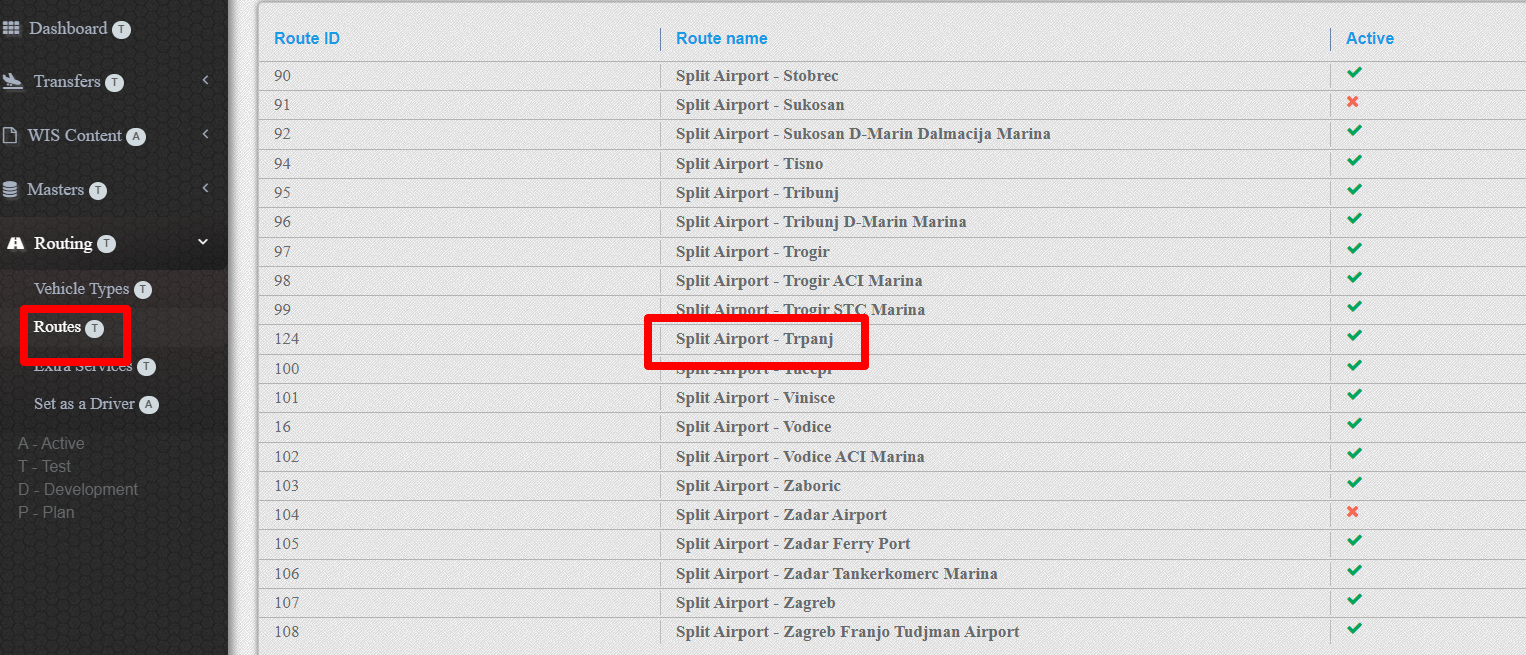
4. Transfer route
Transfer route is specific path from Passenger Pickup Location to Passenger Drop Location
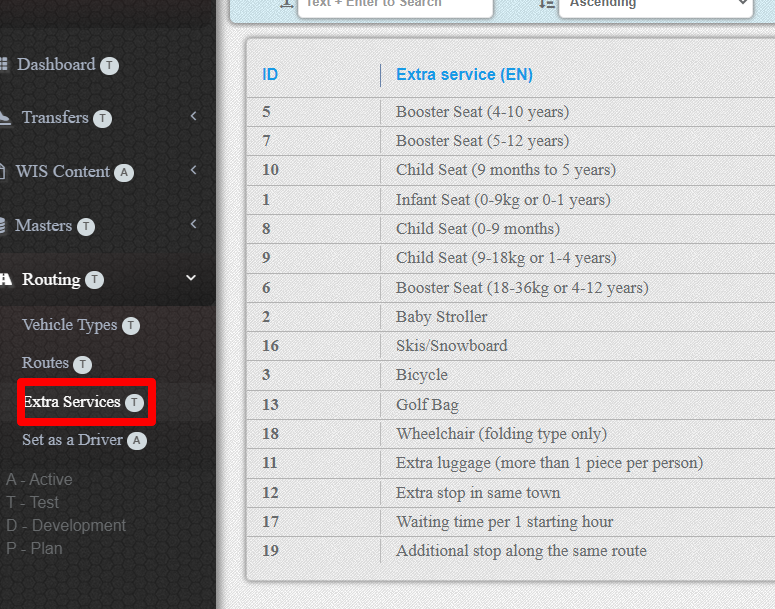
5. Extra services
Extras are chargeable extras of non-standarded equipment or additional services
6. Terminal
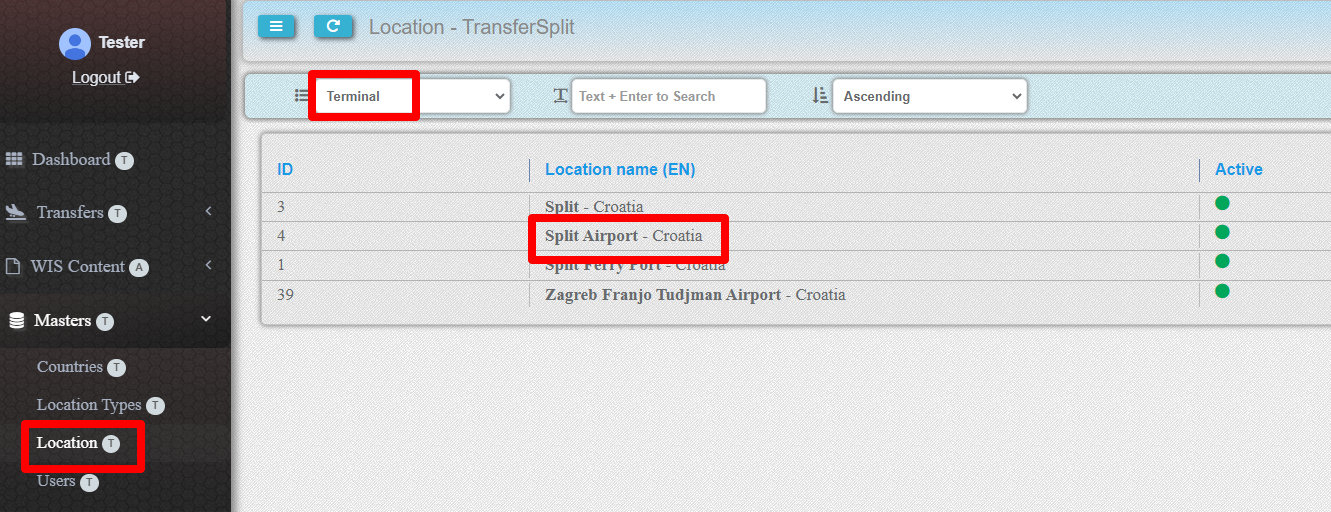
Terminal is a geographical location that represents the most important point of the area where passenger transfer services are performed. As a rule, these are airports, railway stations, ferry ports.
Any location can be a terminal.
7. Transfer Partner
Transfer partner is a passenger transport company that provides a passenger transfer service
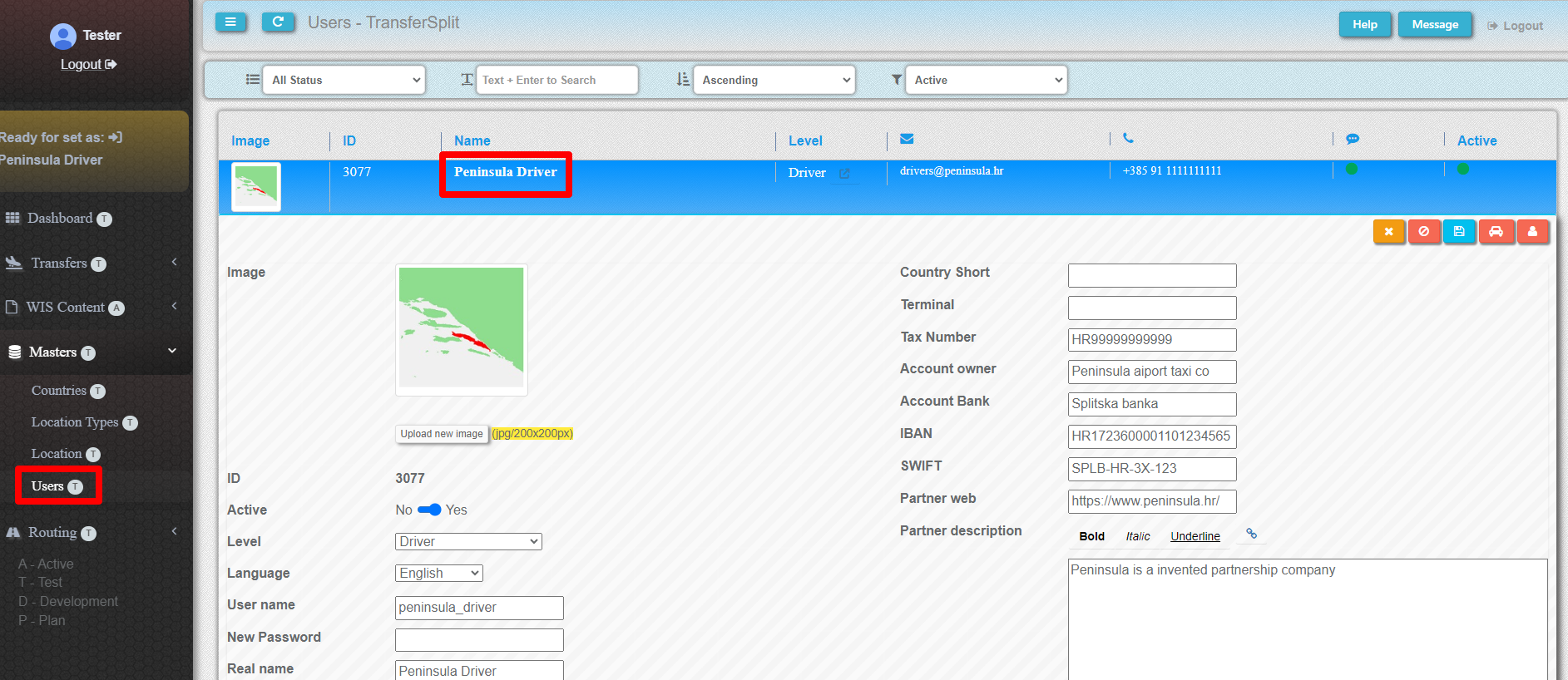
8(1). Set up as a partner
You have to selected as a partner driver.

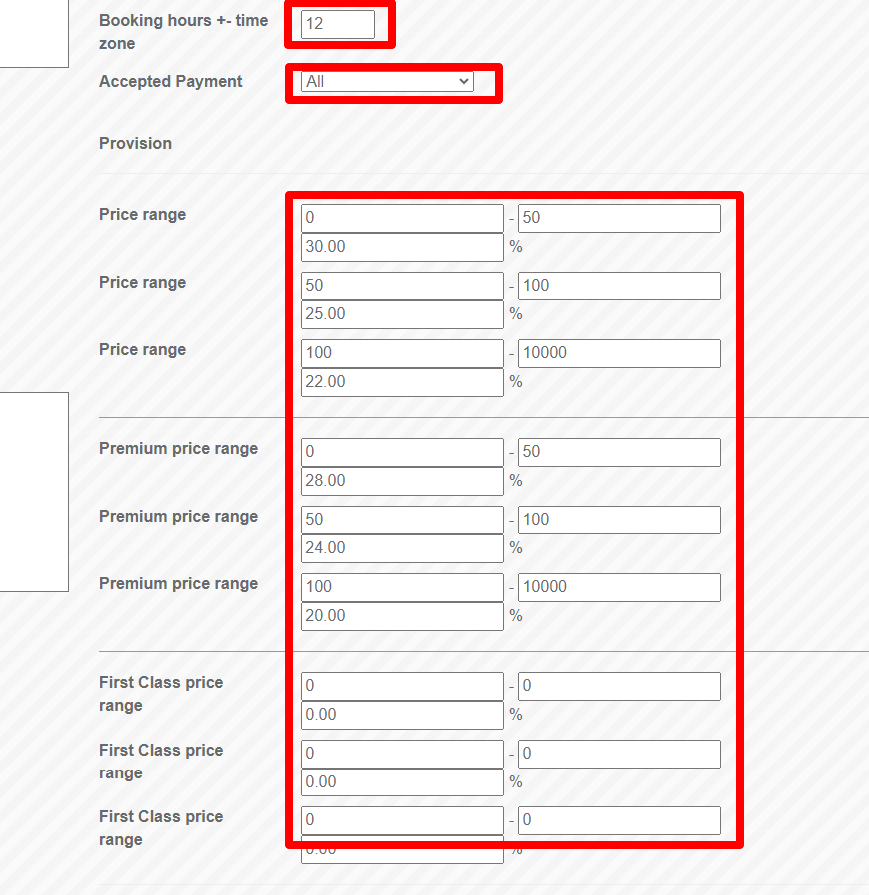
9. Commision
You should fill the table with the commissions you calculate for the partner's services. You should also enter the minimum time in hours between ordering and transfer. It needs to be reduced or increased in relation to the transfer time zone according to Greenwich Mean Time.
10. Connection to terminal
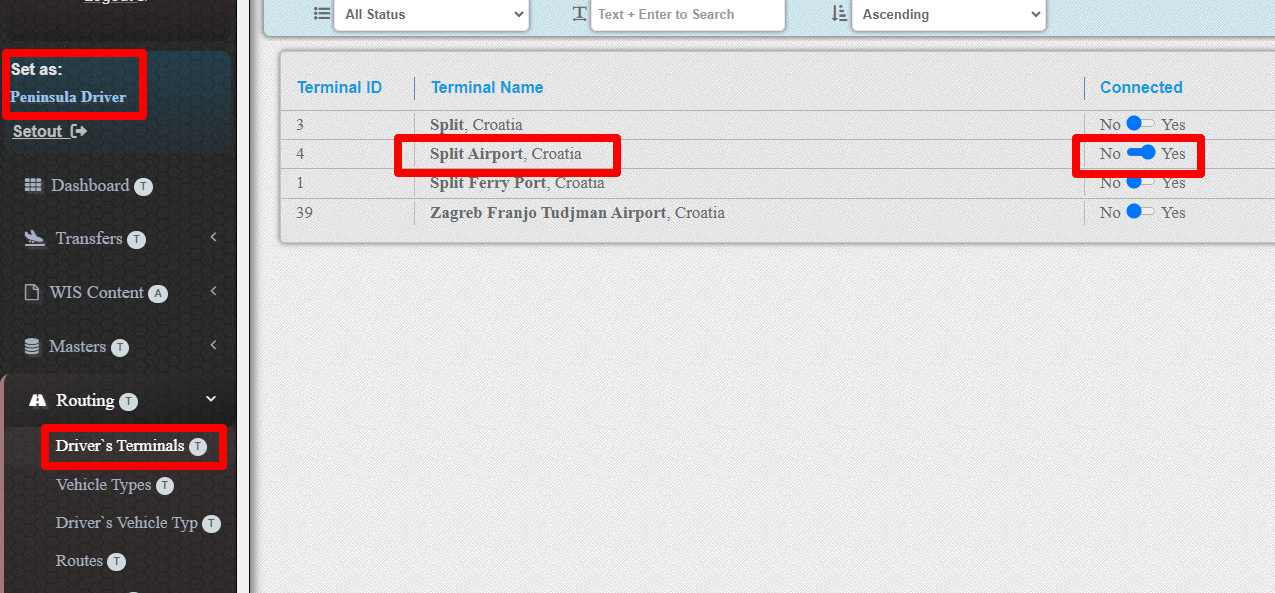
Check if the partner is connected to the terminal. If not, connect it.
11. Pricing rules
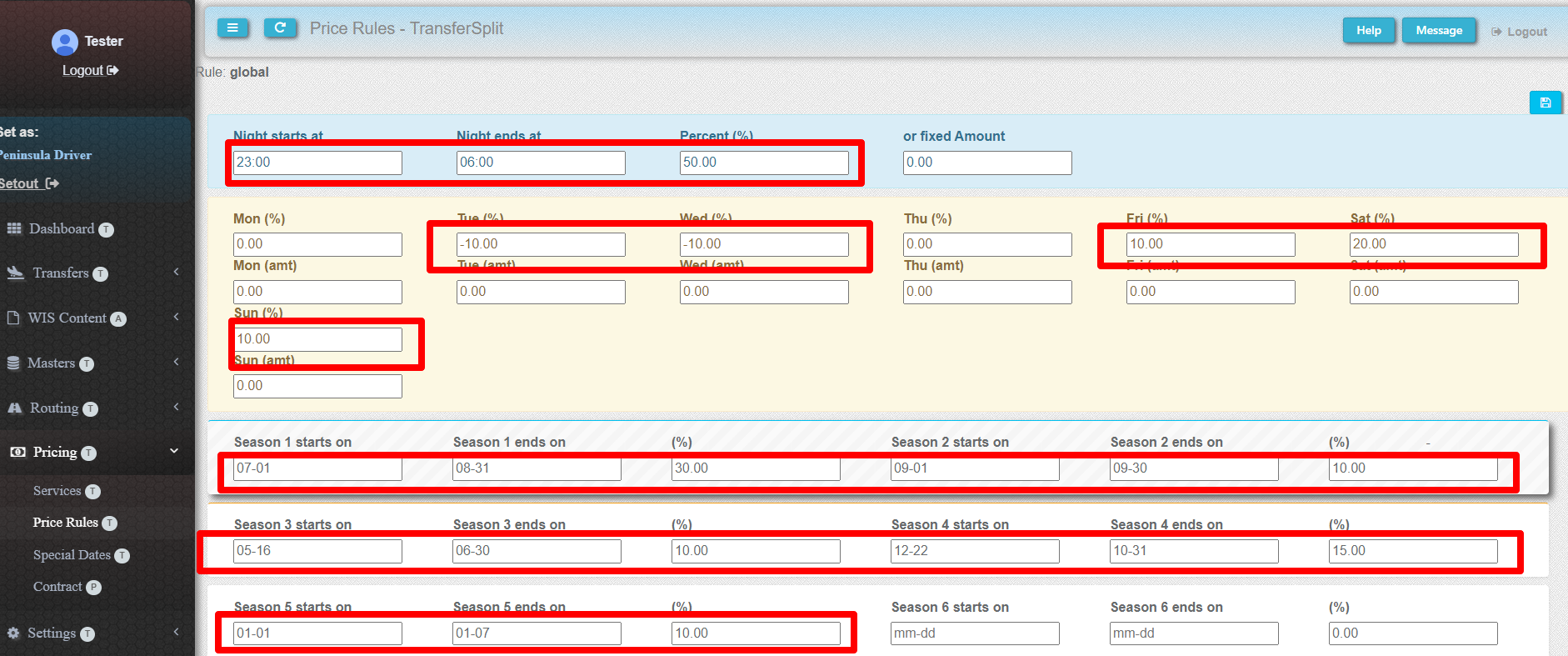
You can fill the partner's pricing rules.
12. Special date prices
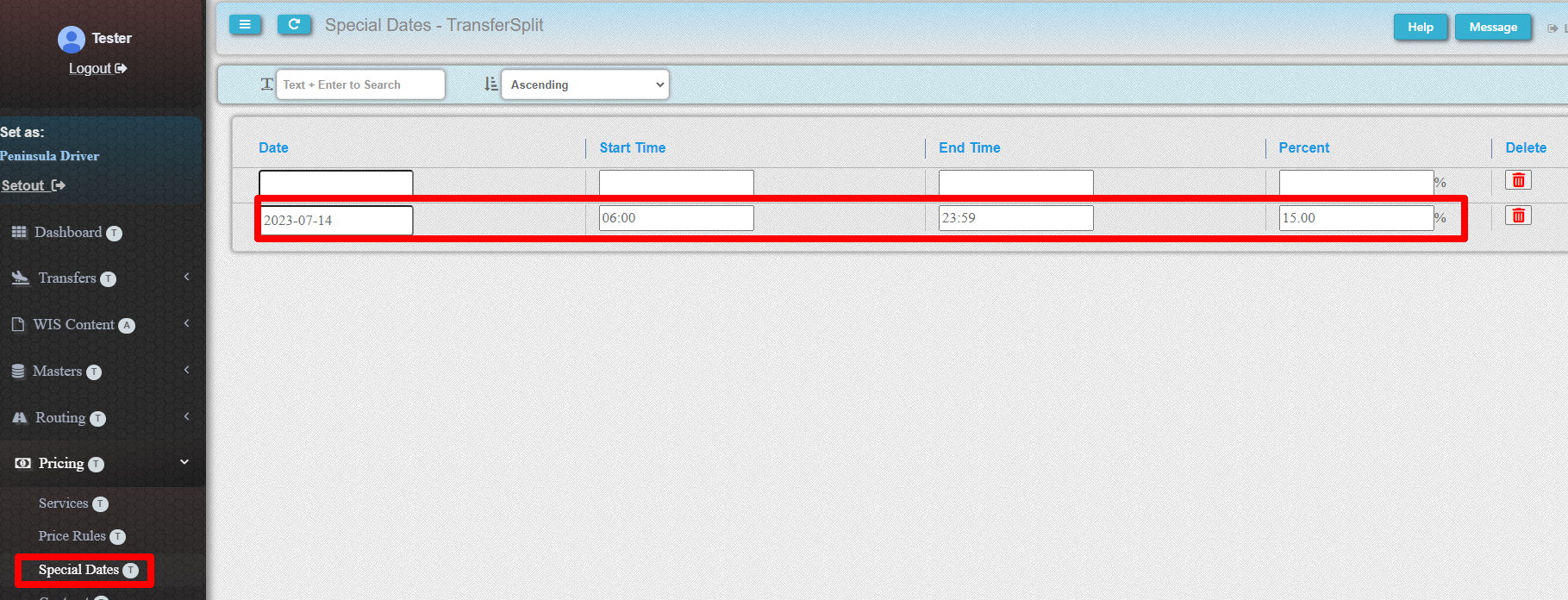
You can fill in the partner's special dates prices.
13. Partner`s vehicles types
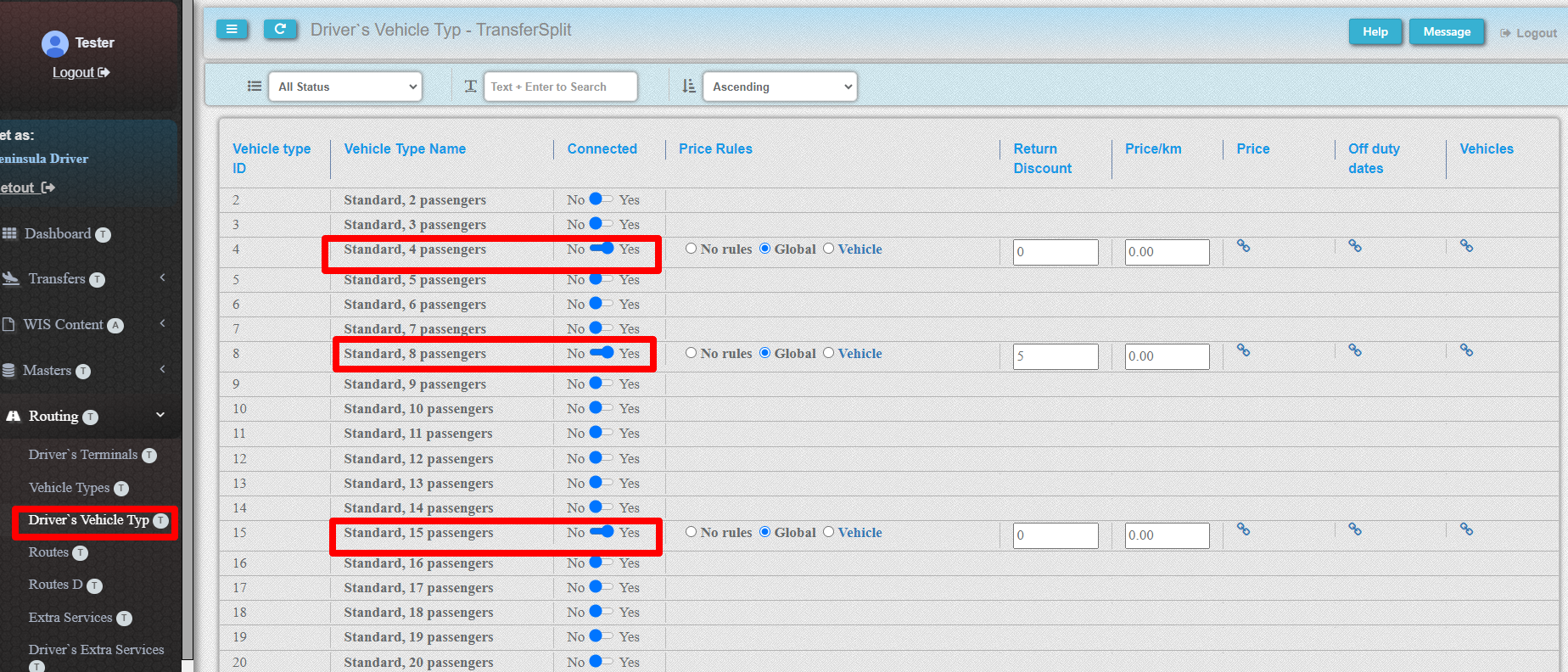
The vehicle type should be associated with the partner
Check if the vehicle type is connected to the partner. If not, connect it.
In this step, you can also choose a pricing rule. You can fill in the pricing rule by vehicle type.
Also, you can enter a discount for the return transfer in percentage, and prcie per kilometetre for this vehicle type.
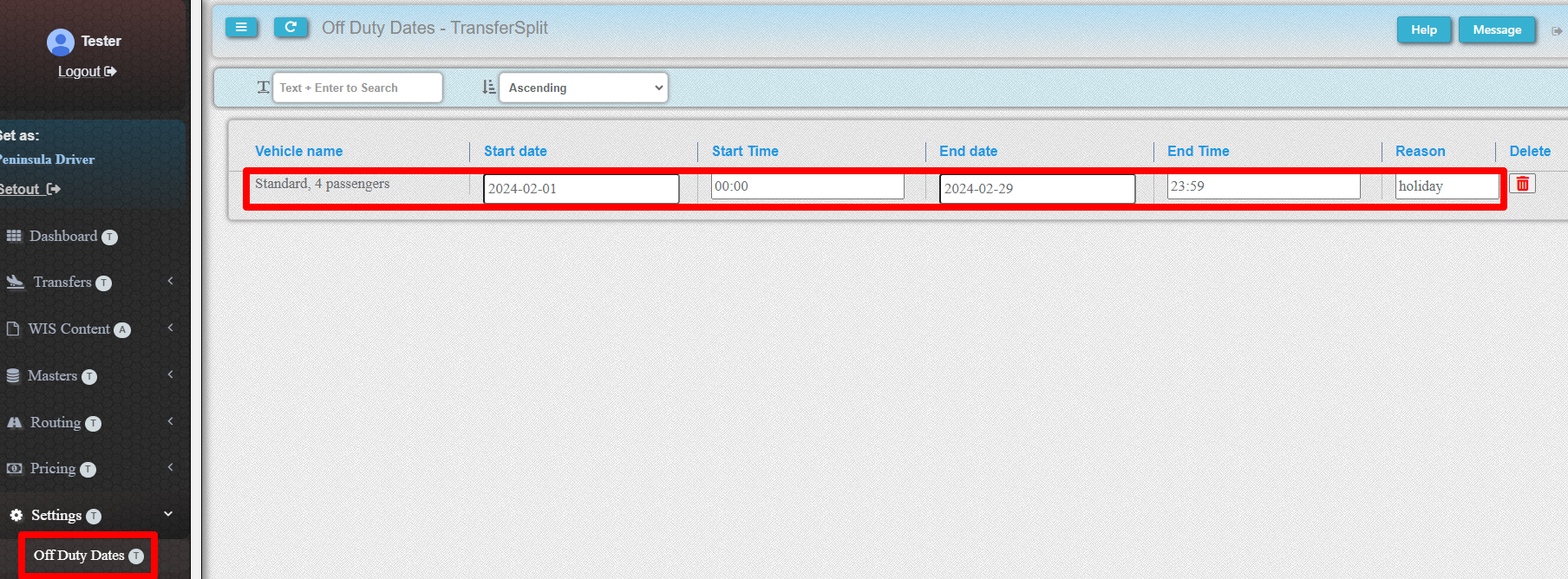
14. Off duty dates
You can fill in the partner's vehicles types off duty dates.
15. Partner`s routes
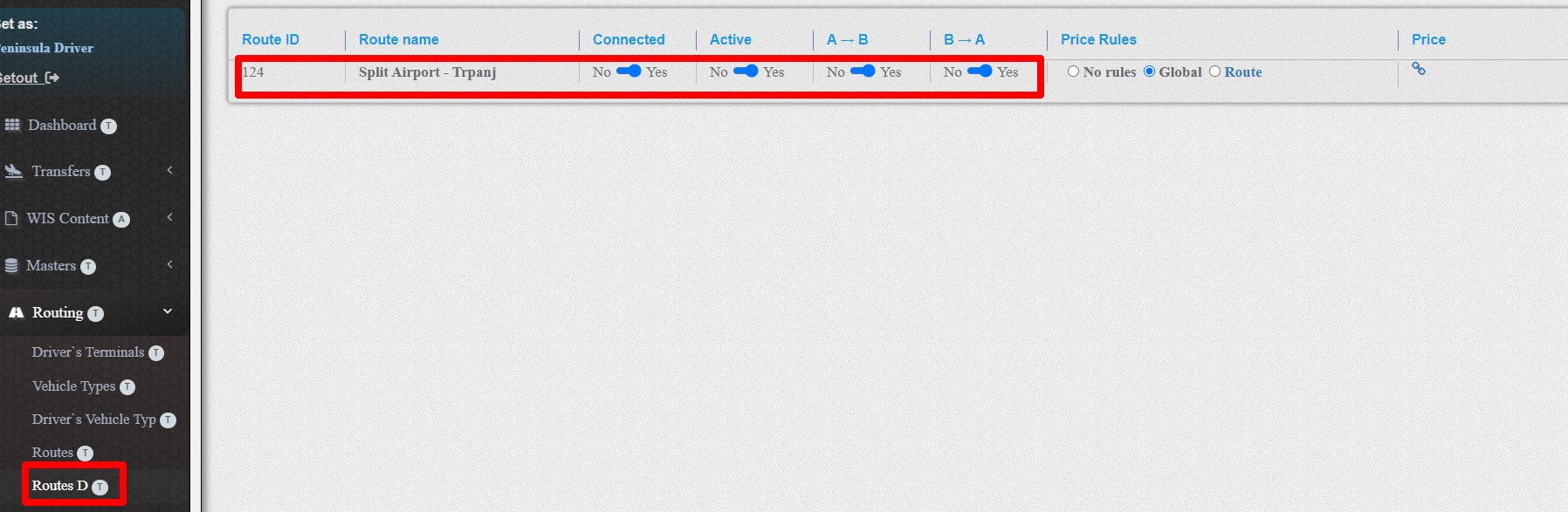
he route should be connected to the partner
Check if the route is connected to the partner. If not, connect it.
In this step, you can also choose a pricing rule. You can fill in the pricing rule by route.
16. Partner`s extras
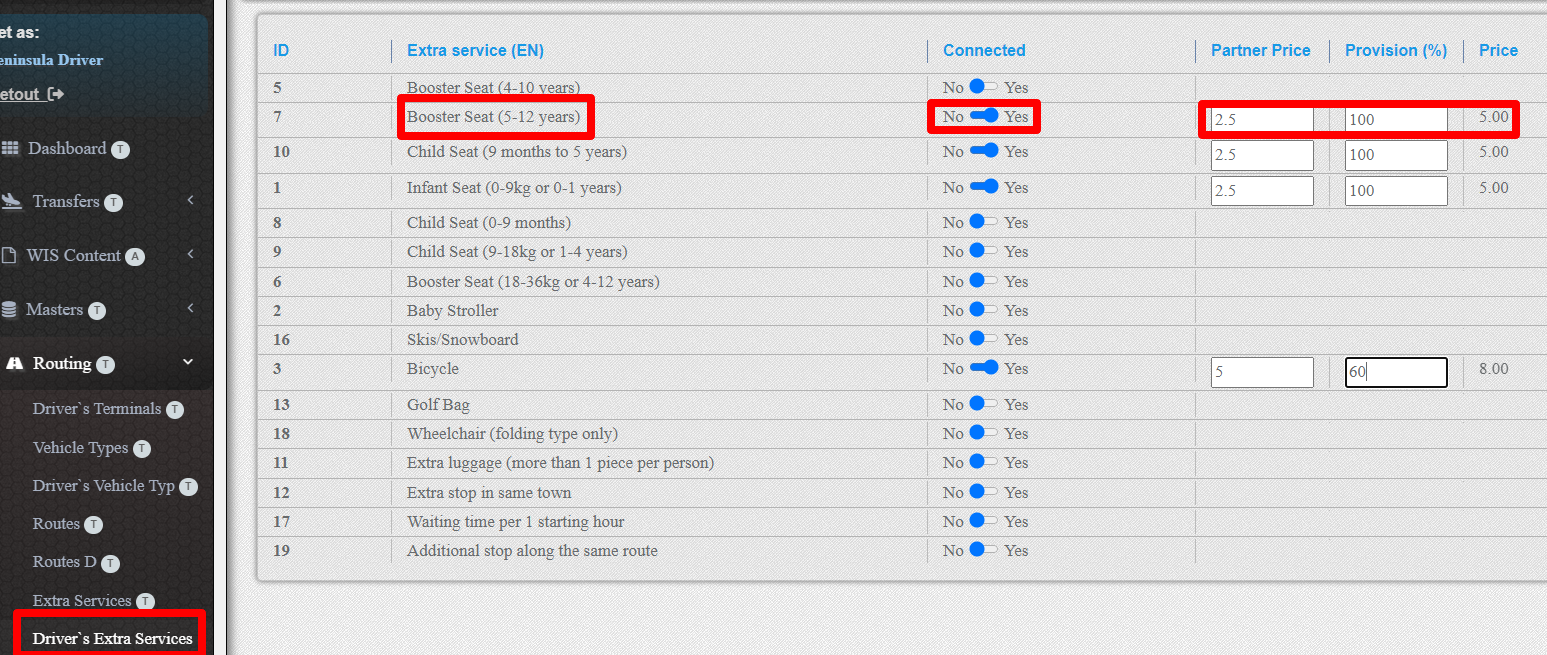
The extras should be connected to the partner
Check if the extras is connected to the partner. If not, connect it.
17. Price filling
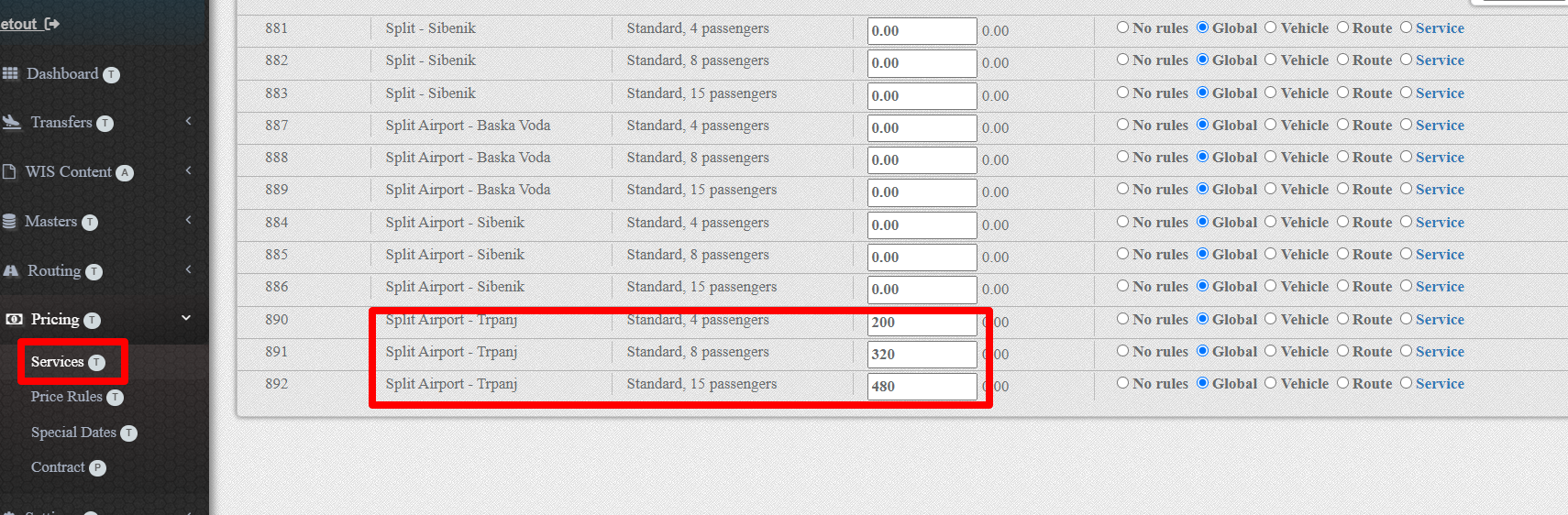
You can enter the price of the service in three ways.
Entering and updating the price by selecting from the list of all services
Entering and updating the price by choosing from the list of services for the selected partner's vehicle type.
Entering and updating the price by choosing from the list of services for the selected partner's route.
In this step, you can also choose a pricing rule. You can fill in the pricing rule by service.
18. Booking
Now you can book the entered service and check if the process was completed successfully.