- 1. Set as a partner
- 2. Driver Routes
- 3. Service
- 4. Price Rules
- 5. Price difference
- 6. Price calculated by price rules
- 7. Special Dates Price
- 8. Recalculating the price by including adds for special dates
- 9. Commission calculation
- 10. Final Price
- 11. Return Transfer Price
- 12. Check Final Price
1. Set as a partner
You should set as a partner.

3. Service
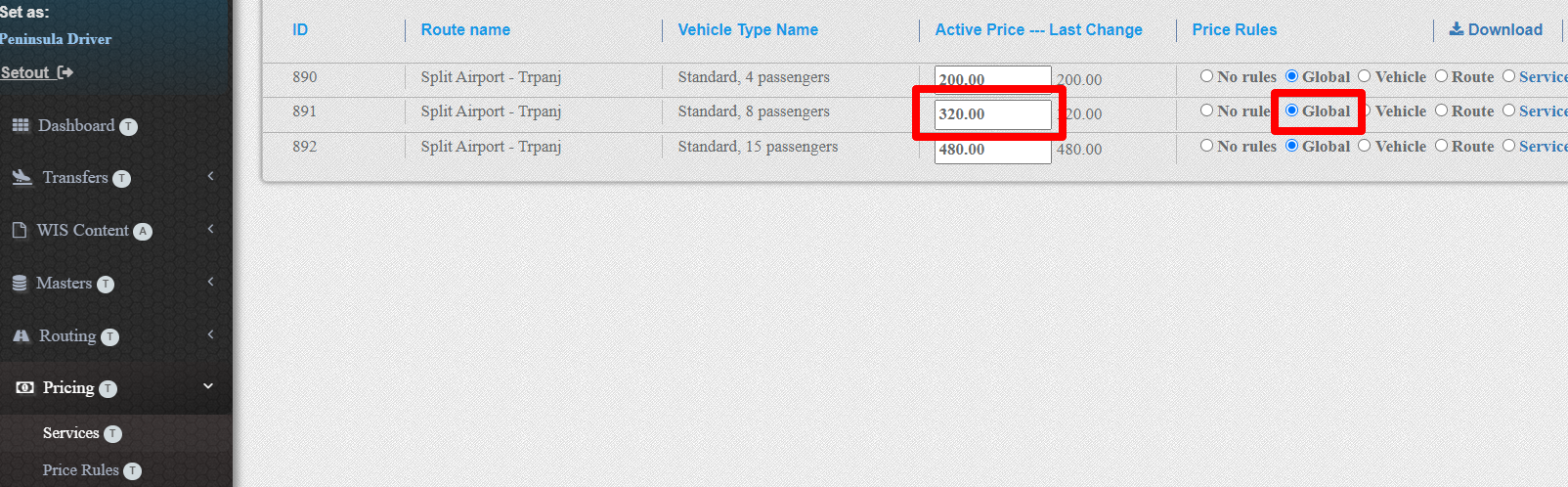
Find Vehicle type and note the price as a DriverBasePrice.
Also, note which price rules is selected.
4. Price Rules
If selected Price Rules is
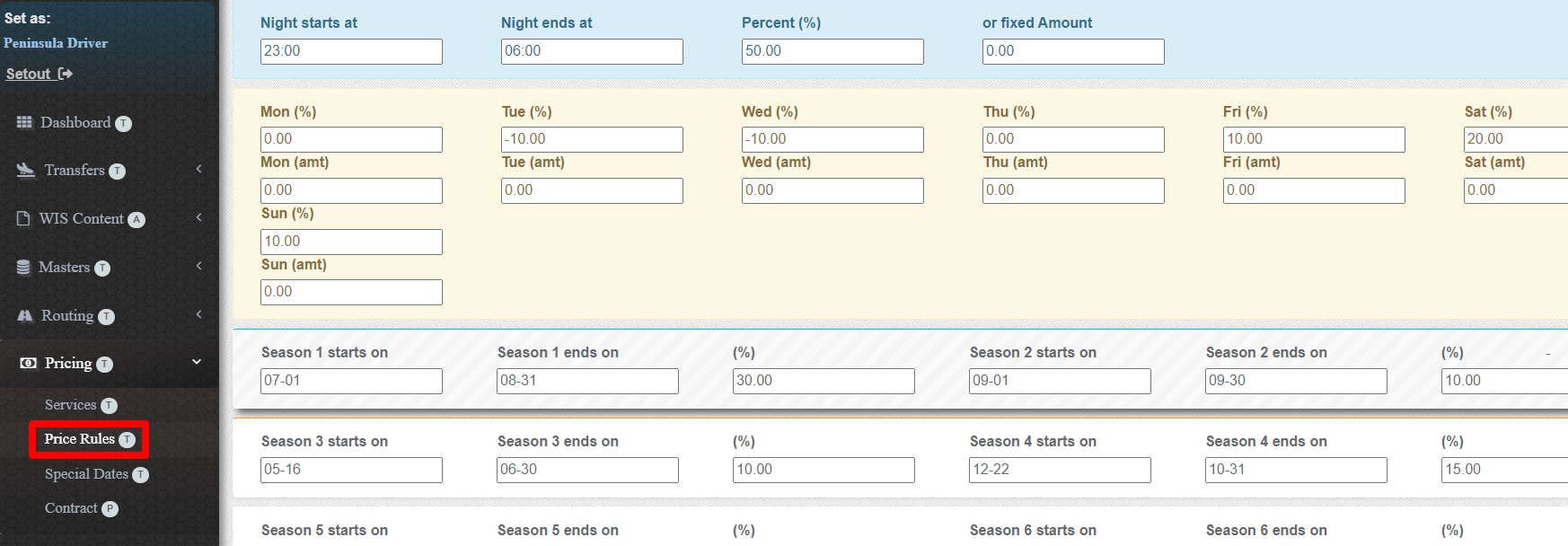
GLOBAL / Go to menu option Prices/PriceRules.
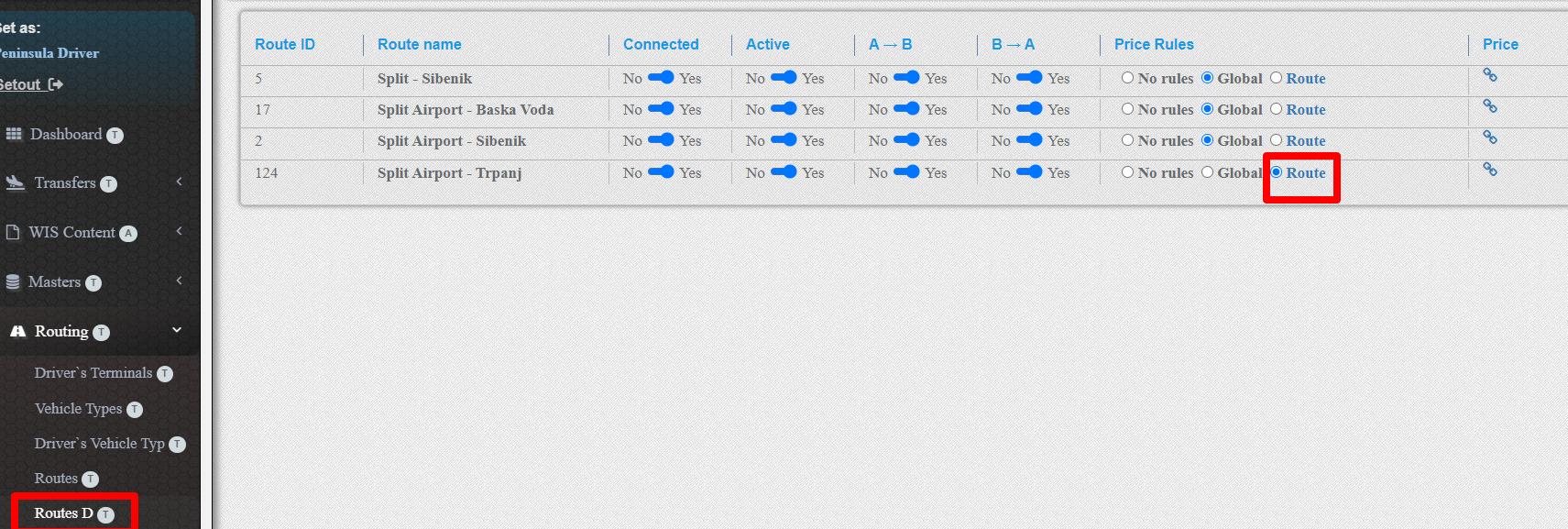
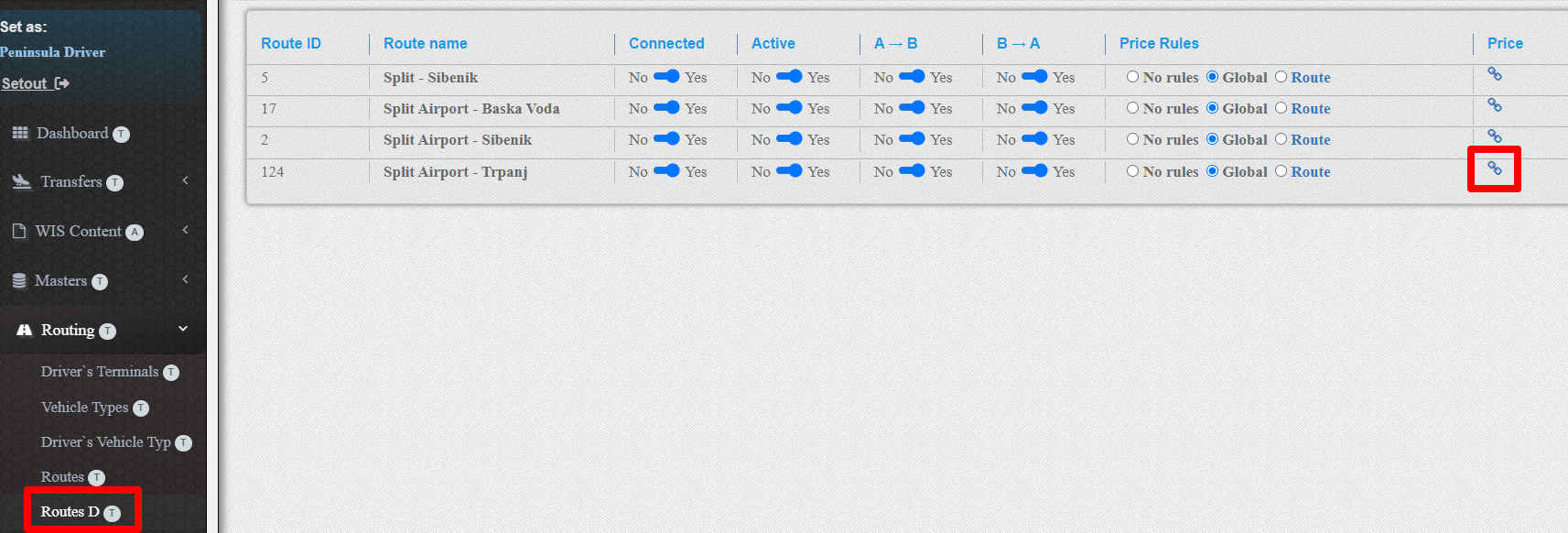
ROUTE /Go to menu option Routing/RouteD and than press the link Route/Price Rules field iin selectted route row.
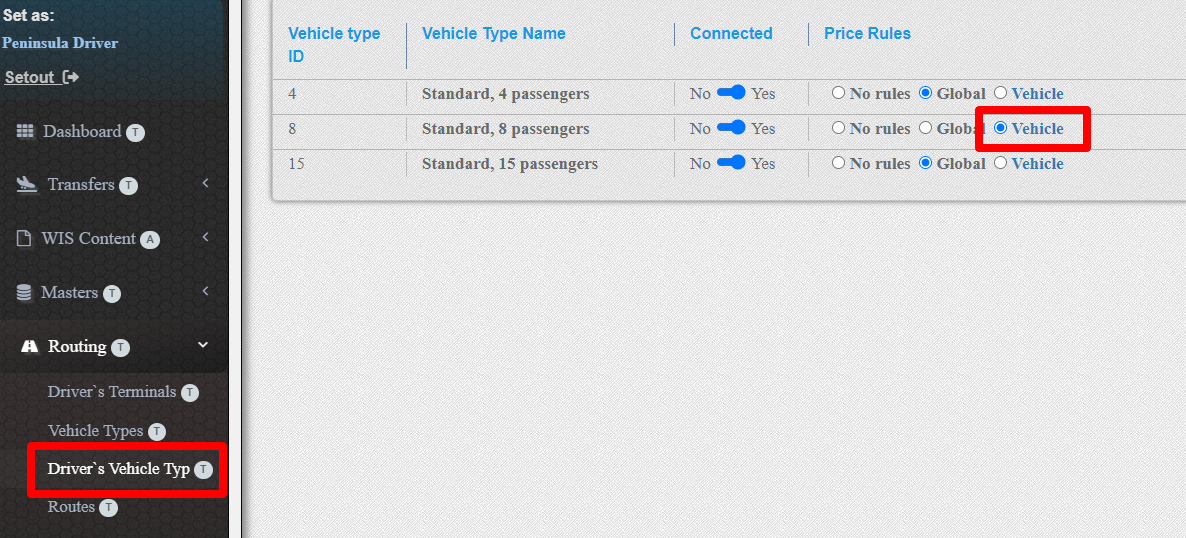
VEHICLE / Go to menu option Routing/Driver Vehicle Type and than press the link Vehicle in Price Rules field iin selectted vehicle row.
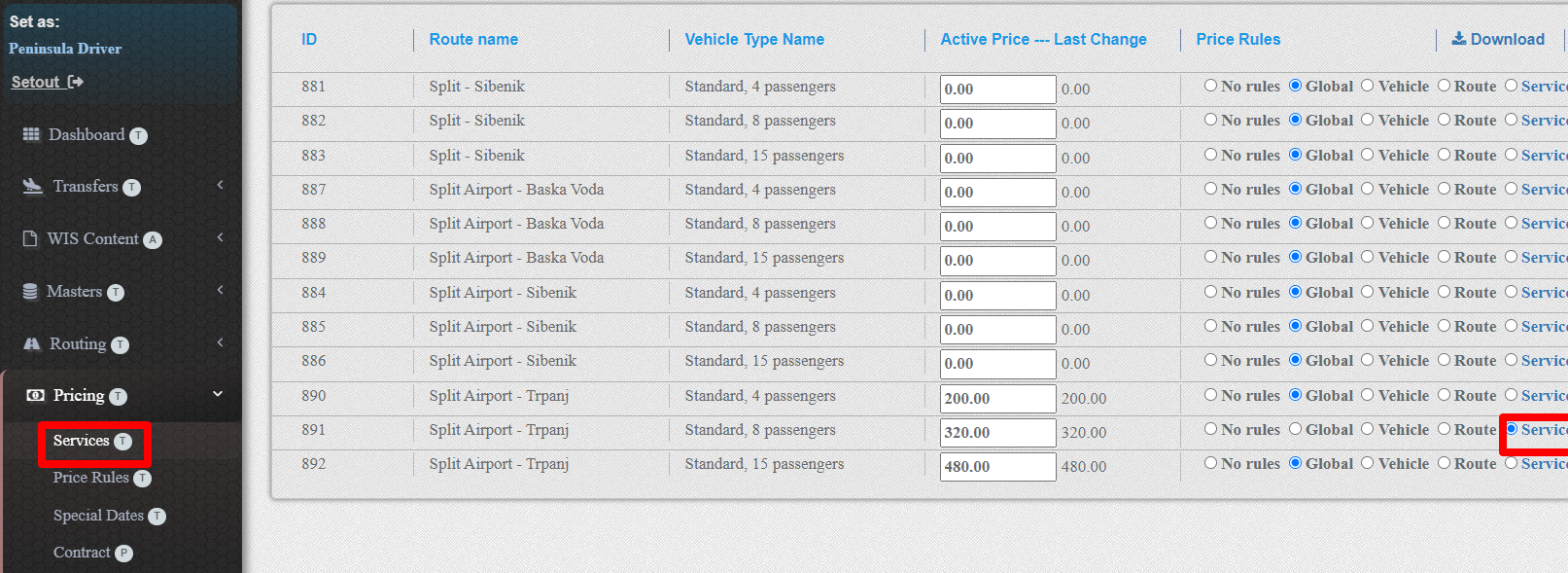
SERVICE / Go to menu option Pricing/Services and than Press the link Service in Price Rules field.
See if the date and time of the transfer belogns into one or more time intervals in the pricing rules.

If so, note all that values as a add%1, add%2,.. for percentage or add1, add2 ... for absolute value.
5. Price difference
You need to calculate the price difference.
addToPrice = (add%1 + add%2+ ....)*DriverBasePrice/100
addToPrice = add1+ add2+ ...
addToPrice = add%1 *DriverBasePrice/100+add2+....
addToPrice = 0
6. Price calculated by price rules
You need to add the previously calculated price difference. You will get DriversPriceAdd.
DriversPriceAdd = DriversPrice + addToPrice
7. Special Dates Price
Go to menu option Pricing/Special Dates and check if date and time is in special dates intervals

Note this percentage as Special Dates Percentage.
8. Recalculating the price by including adds for special dates
You need to recalculate the price by including the special date allowance, if any.
Recalculated prices will be SDPriceDiff.
SDPriceDiff = DriversPriceAdd+ DriversPriceAdd*Special Dates Percentage/100
if there is no
SDPriceDiff = DriversPriceAdd
9. Commission calculation
Setout as a partner.
Go to menu option Master/Users and find selected partner. Find provision percentage table for selected vehice type class Find the interval for calculated price and note percantage as a Commission.

10. Final Price
Calculate Final price on this way.
FinalPrice = SDPriceDiff + SDPriceDiff*Commission/100
11. Return Transfer Price
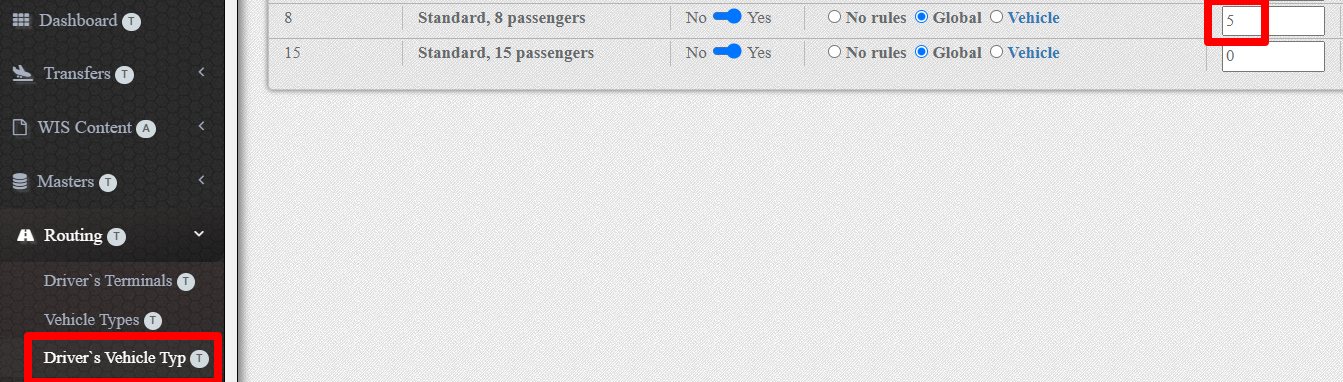
For transfer price, which is a one way transfer of return transfer order, go to Routing/Driver's Vehicle Types, and note Return Discount Percentage as RD. Reduce the Final price on this way.
Return Transfer Final Price = (1-RD/100)*FinalPrice
12. Check Final Price
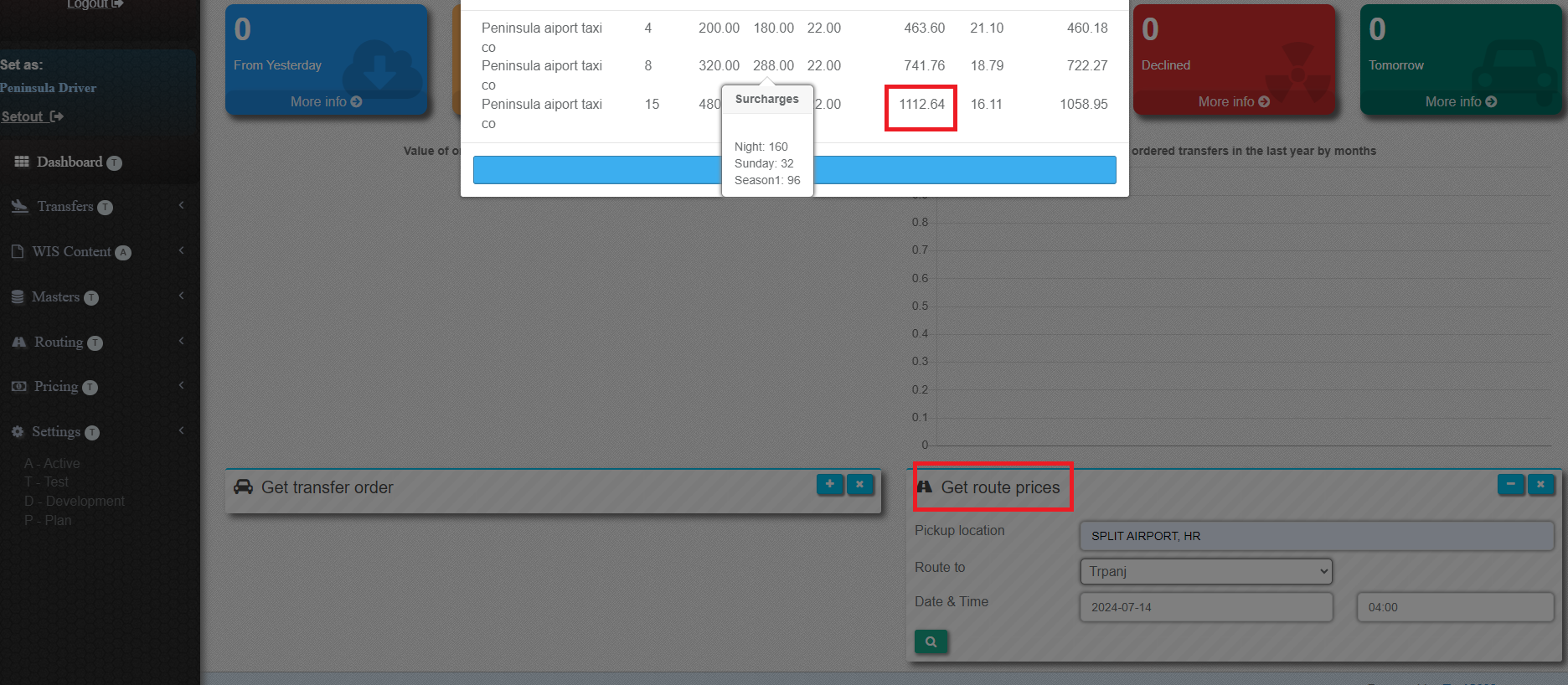
You can see the Final Price in Dashboard option Get route prices.